Free
€ 0
20 documents · 250 MB
For your first important documents.
Start for free Buroo
BurooReceipts, warranties and important documents. One trusted place for you and your household.
Start for free · No credit card needed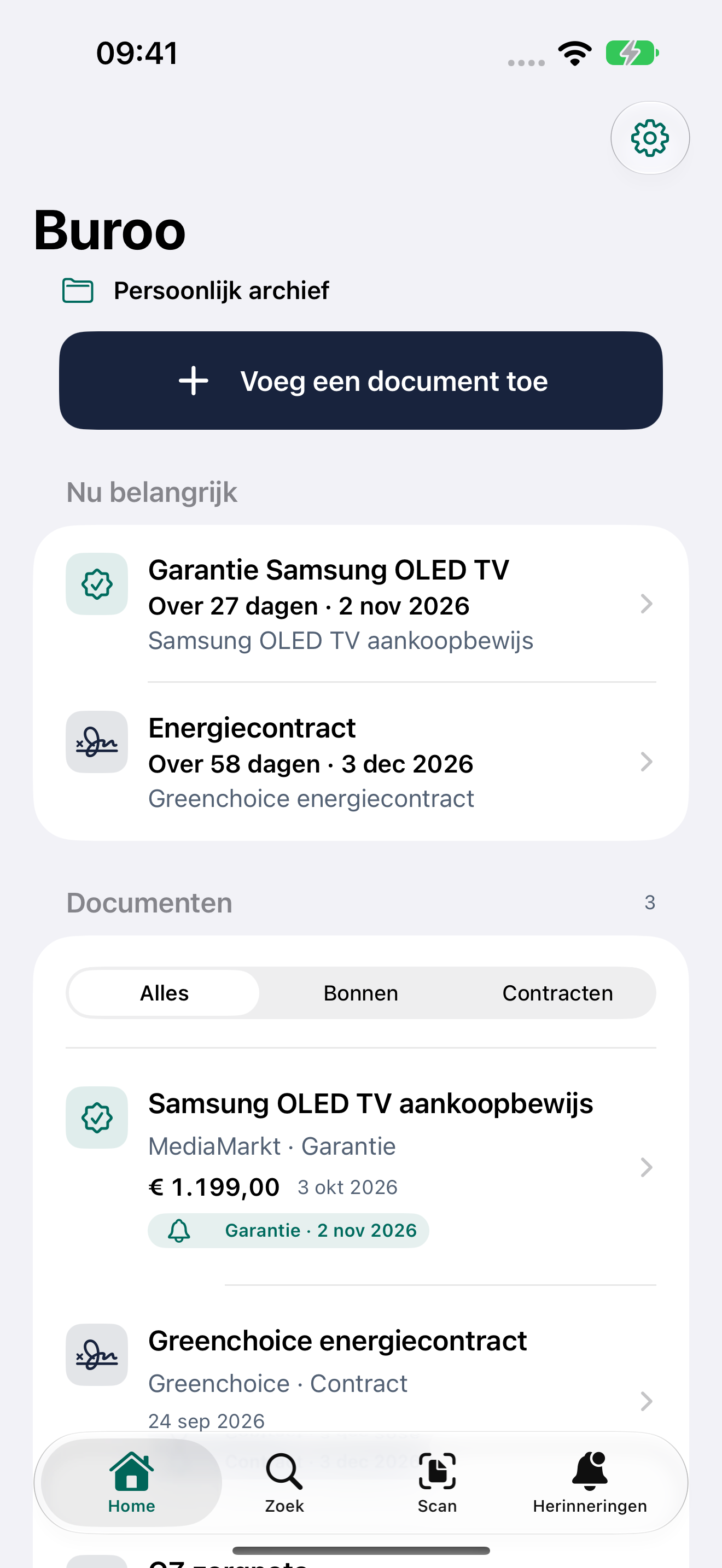

Upload a PDF or photo. Keep multiple pages together.
Check the title, sender, date and amount.
Search for what you remember. Open the original document right away.
A look inside the iPhone app.
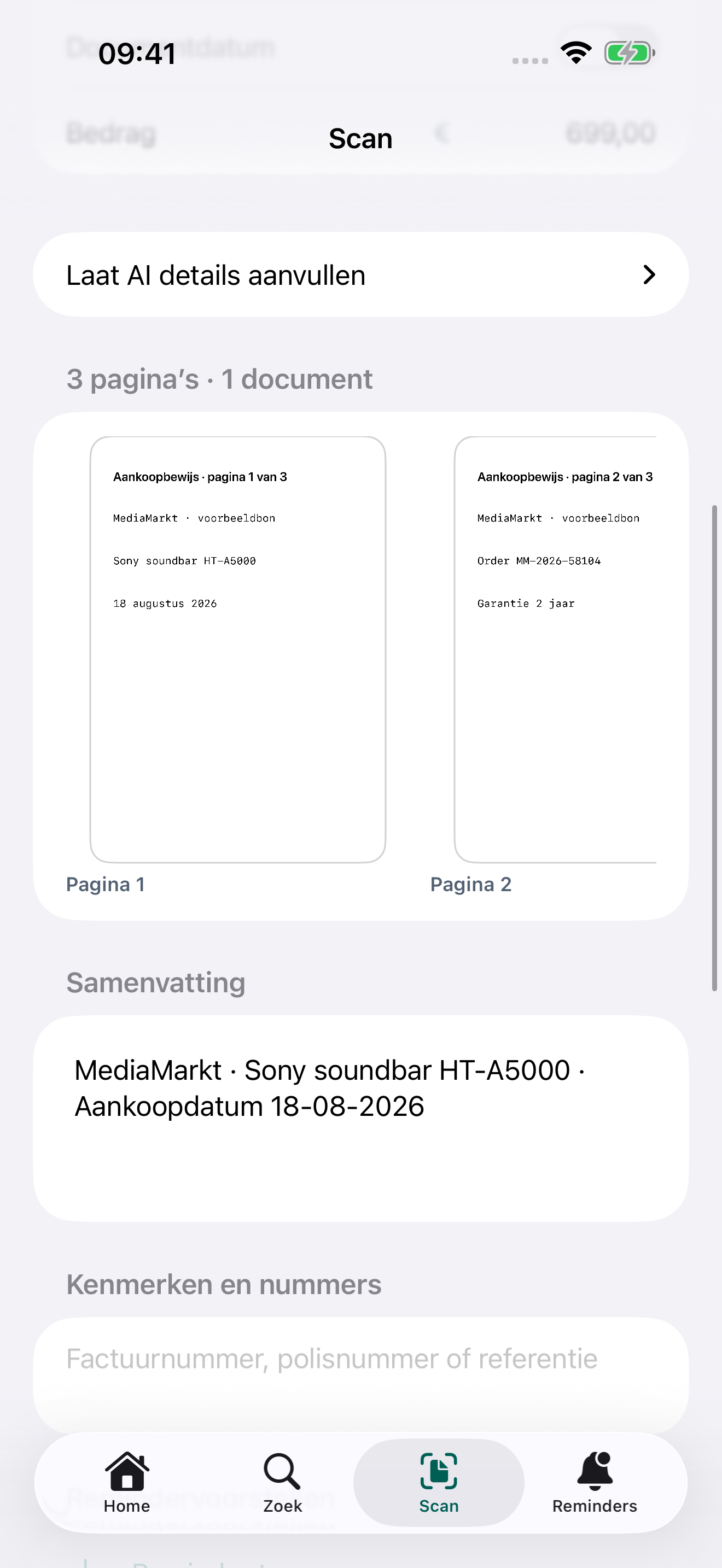
Scan several pages in the iPhone app. Keep them together, just as they belong.
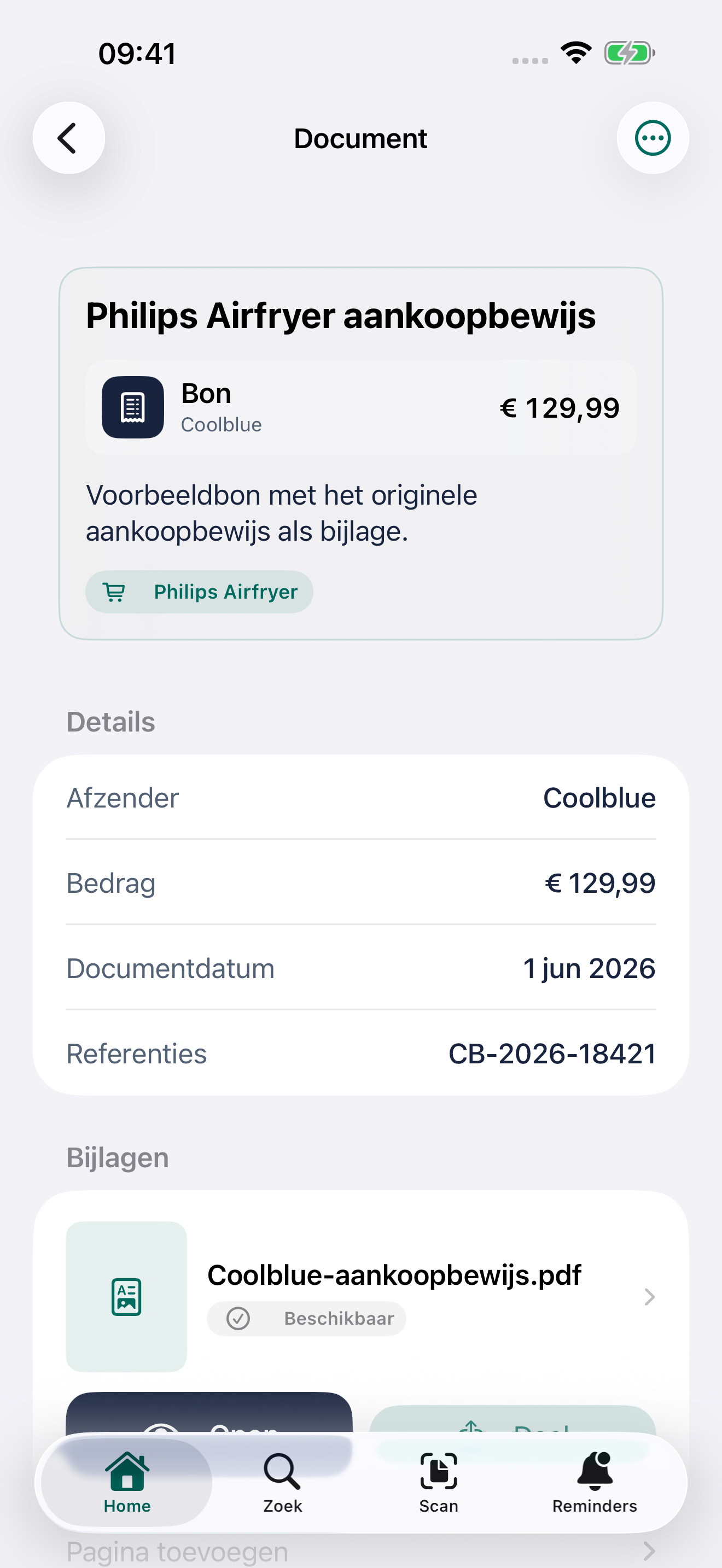
See the details and the original file. Useful when you need to know exactly what it said.
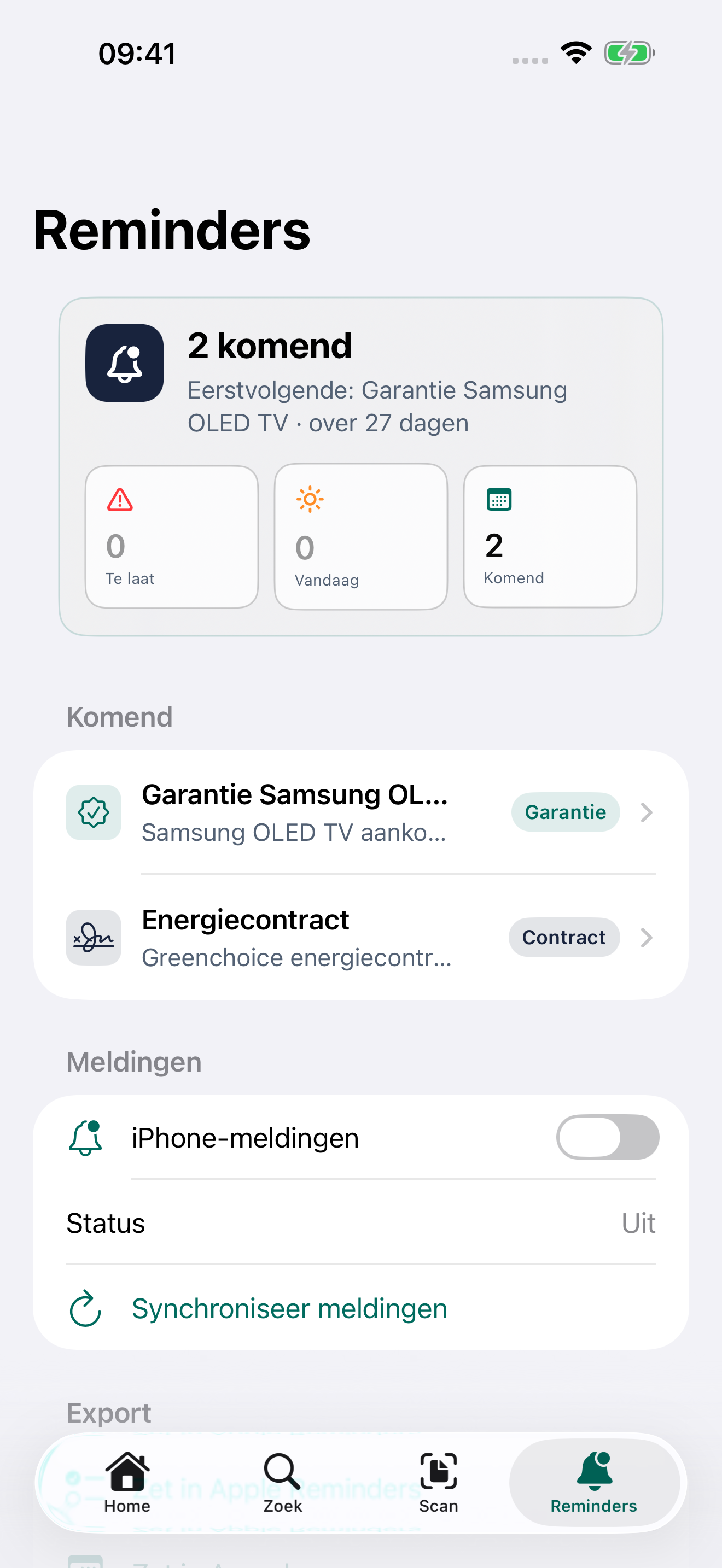
Add a reminder to your document. See what needs your attention soon.
Buroo for iPhone · Dutch-language screens with example data
Share your archive with your household. You decide who can view or edit.
The iPhone app recognises text on your device. Extra AI suggestions are optional.
Read how we handle your information€ 0
20 documents · 250 MB
For your first important documents.
Start for free€ 1.99 / month
or € 19.99 / year · 5 GB
Room for your personal archive.
Choose in the iPhone appShare with your household
€ 2.99 / month
or € 29.99 / year · up to 5 members
One shared archive · 5 GB.
Choose in the iPhone appManage subscriptions in the iPhone app. These are Dutch App Store prices; the App Store shows the price for your region.
Export and deletion stay free.A few answers before you start.
Receipts, warranties, contracts and other important documents. Keep multiple pages together, add details you recognise and open the original file later.
Read more in the guideUse Buroo on your iPhone. This website provides the user guide and support. A web archive is not available yet.
Read more in the guideWith Family, share one archive with up to five members. Invite someone and choose whether they can view or edit. Personal and shared archives remain clearly separate.
Read more in the guideYes. Download an original or export your archive with original files and document details. Export and deletion stay free.
Read more in the guideNo. Saving, searching and finding documents works without AI. The iPhone app recognises text on your device. Extra AI suggestions are optional and require your permission.
Read more in the guideThe guide walks you through it, step by step.